Apple 05
Utilizing Apple Notes for Immediate Equation Resolution in iOS 18
Transforming Everyday Mathematics: How iOS 18 Turns Apple Notes into an Intelligent Calculator With the debut of iOS 18, Apple has unveiled an innovative...
- Published
5 minute read
Transforming Everyday Mathematics: How iOS 18 Turns Apple Notes into an Intelligent Calculator
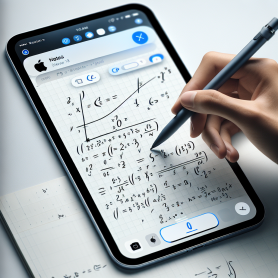
With the debut of iOS 18, Apple has unveiled an innovative feature that elevates the simple Notes app into an unexpectedly smart math companion. The era of toggling between Notes and the Calculator app while working is over. Thanks to the new Math Results tool, your iPhone can now resolve equations immediately—right within your notes.
Whether you’re a student working through calculations, a professional needing quick figures, or simply managing your monthly expenditures, this enhancement to the Notes app provides a fluid, time-saving solution. Let’s explore how this feature operates and how you can leverage it effectively.
What Is the Math Results Function in iOS 18?
Resolving Equations Without Leaving Your Notes
In iOS 18, the Apple Notes app features a new built-in capability called Math Results. It automatically detects when you enter a mathematical expression and promptly calculates the answer—right in the note. This allows you to maintain your workflow without the interruption of opening a standalone calculator app or reaching for a manual calculator.
Whether you’re listing groceries with estimated costs or noting formulas in a team discussion, Math Results integrates math seamlessly into your note-taking routine.
How It Works
When you type an equation like “5+3” into a note, Notes identifies the expression and offers to compute it. Depending on your preferences, it can either display a suggestion or automatically insert the result next to the equation. This feature accommodates basic arithmetic as well as some advanced mathematical functions, making it beneficial for various situations.
How to Activate Math Results in Apple Notes
Step-by-Step Instructions
To utilize this feature fully, just follow these straightforward steps:
- Launch the Apple Notes app.
- Create a new note or open an existing one.
- Enter a mathematical equation, such as “12*4” or “(8+2)/5”.
- Tap the three-dot icon in the top-right corner of the toolbar.
- Select “Math Results” from the dropdown options.
- Choose between:
- “Suggest Results”: Provides the answer as a suggestion, which can be inserted by pressing the space bar.
- “Insert Results”: Automatically adds the answer right after the equation.
This customization enables you to tailor your interaction based on whether you prefer manual or automatic result management.
Why the Math Results Function Is Transformative
Enhancing Daily Activities
This update represents more than just a minor improvement—it’s a productivity enhancer. By incorporating a calculator into your note-taking process, Apple has dramatically minimized the hassles of multitasking. Whether you’re managing meeting budgets, calculating grocery expenses, or working through homework equations, the Math Results feature converts Notes into a multifaceted tool.
A New Resource for Students and Professionals
Students can now solve mathematical problems directly within their class notes, streamlining study sessions. Professionals can compute metrics or financial values during meetings without needing an extra device. It’s a clever integration that meets the diverse needs of users across educational and professional environments.
Additional Features That Enhance Productivity in iOS 18
While Math Results stands out, it’s merely one of the many productivity improvements in iOS 18. Other tools encompass:
- Enhanced handwriting recognition in Apple Notes
- Improved tagging and searching capabilities
- Real-time collaboration features for shared notes
- Security enhancements for locked notes
These updates further position Apple Notes as a comprehensive digital notebook, rivaling numerous third-party productivity applications.
Compatibility and Requirements
To utilize the Math Results feature, you’ll need:
- An iPhone operating on iOS 18 or later
- The latest version of the Apple Notes app (which can be updated through the App Store if necessary)
This functionality is accessible across all devices supporting iOS 18, including iPads, making it even more flexible for individuals who work on multiple Apple devices.
Final Thoughts
The introduction of the Math Results feature in iOS 18 represents a subtle yet impactful enhancement to Apple Notes, turning it into a smart, calculation-capable workspace. By removing the need to toggle between applications, Apple has provided users with a more fluid and effective way to manage everyday math tasks—precisely where they are already writing, organizing, and planning.
Whether you are a student, a professional, or someone who appreciates streamlined tools, this new functionality is a valuable addition to one of Apple’s most frequently used apps.
Common Questions
1. What kinds of equations can Apple Notes solve using Math Results?
Apple Notes can handle fundamental arithmetic operations such as addition, subtraction, multiplication, and division, along with some more complex calculations involving parentheses and decimals. However, it may not accommodate intricate algebraic or scientific equations at this time.
2. Is a separate app required to utilize this feature?
No. The Math Results feature is integrated directly into the Apple Notes app in iOS 18. Just ensure your device is running iOS 18 and that your Notes app is updated.
3. Can I access this feature on my iPad or Mac?
Yes, as long as your device is operating on iOS 18 (or the corresponding iPadOS and macOS versions), you can utilize the Math Results feature across all your Apple devices. This makes it particularly beneficial for users operating within the Apple ecosystem.
4. Can I turn off automatic result insertion?
Certainly. You can select between “Suggest Results” and “Insert Results” in the Math Results settings. With “Suggest Results,” the result will only appear as a suggestion, which is inserted when you tap the space bar.
5. Will this feature replace the Calculator app on my iPhone?
While Math Results enhances note-taking convenience, the Calculator app still provides more robust functionalities for complex calculations, scientific operations, and history tracking. However, for quick math tasks, Notes may become your go-to option.
6. Is this feature usable offline?
Yes, the Math Results feature is functional offline, making it suitable for class settings, flights, or any environment with limited internet access.
7. Are there other apps with similar built-in math functionalities?
Some note-taking applications like Microsoft OneNote and Notability offer comparable features, but Apple’s inclusion of Math Results in the native Notes app provides a streamlined experience free from third-party downloads.
Ready to enhance your note-taking experience? Try out the Math Results feature in Apple Notes today and redefine your approach to everyday equations.